
Monitors & Displays

Showing 1–16 of 22 results
-

LG ELECTRONICS USA TAA 32BU45VB-B 32 LG MONITOR, 3840X2160, 16:9 , VA, HDMI 2.0 (2) HDR10,
$437.85 Add to cart -
LG ELECTRONICS USA TAA EAAA07L-G2 Series MAGNIT LAAA Premium Spare Parts Box1 (LDM Holder Assembly, 2 LDM) for LAAA007-G2
$7,584.38 Add to cart -

LG TAA 24BA450-B 24IN 1920X1080 IPS HDMI D SUB FLICKER SALE PIC READER MODE
$151.58 Add to cart -

LG TAA 24BA560-B 24IN 1920X1080 IPS HDMI FLKR SAFE PIC RDR MODE EPEAT SILVER
$167.37 Add to cart -
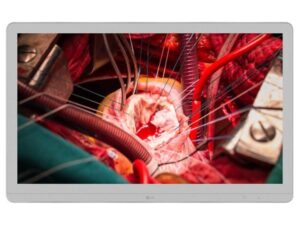
LG TAA 27HJ710S-W ELECTRONICS USA 27IN LED LCD 3840X2160 IPS
$6,777.00 Add to cart -
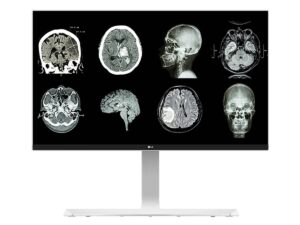
LG TAA 27HJ712C-W ELECTRONICS USA 27in LG MEDICAL IPS 8MP UHD 4K CLINICAL MONITOR 3840X2160 DP FDA CLASS I
$1,659.68 Add to cart -
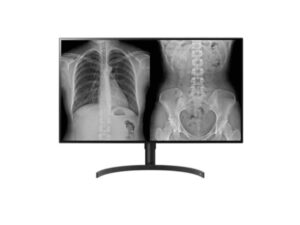
LG TAA 32HL512D-B ELECTRONICS USA 32in LG MEDICAL IPS 8MP DIAGNOSTIC MONITOR 3840 X 2160 DP FDA 510K CLASS II
$3,987.50 Add to cart -
LG TAA LAAA-F136GV ELECTRONICS USA MAGNIT LAAA Series DVLED, P1.56, 384×1,080 resolution
$110,365.45 Add to cart -

LG TAA LAAA007-G2 ELECTRONICS USA Boxed Set LAAA Series DVLED, P0.78, 3840×2160 resolution, 136 Dia, LAAA Cabinet, Series
$264,064.33 Add to cart -
LG TAA LABA-F136GV ELECTRONICS USA Boxed Set LABA Series DVLED, P1.575, 384×216 resolution
$23,470.04 Add to cart -

LG TAA LABA015-GD ELECTRONICS USA 136IN DIA, ESSENTIAL AIO, ALL-IN-ONE WITH BEZEL (1920X1080), ALL-IN-ONE, SINGLE SMD, P1.575, 500 NITS, 3
$948.10 Add to cart -

LG TAA LSAB007-N23 ELECTRONICS USA MAGNIT LSAB VI F.L.A.T
$11,493.55 Add to cart -

LG TAA LSAB007-T23 ELECTRONICS USA MAGNIT LSAB VI F.L.A.T
$11,493.55 Add to cart -

LG TAA LSAB007-U23 ELECTRONICS USA MAGNIT LSAB VI F.L.A.T
$11,493.55 Add to cart -

LG TAA LSAB012-N24 ELECTRONICS USA MAGNIT LSAB VI Series DVLED, P1.25, 480×270 resolution, Signal+Power Redundancy, Main Bottom
$6,819.51 Add to cart -
LG TAA LSAP009-U5 ELECTRONICS USA MAGNIT LSAP VI Series DVLED,P0.94, 640×360 resolution, Signal+Power Redundancy, Main Top
$9,679.21 Add to cart
TAA-compliant monitors for government buyers
Start with where the monitor will be used. A shared workstation may need a simple screen with an adjustable stand, while staff working with detailed drawings, maps or multiple applications may need a larger display or higher resolution. Before comparing models, record the desk space, viewing distance and number of screens each workstation can support.
Check the video outputs on the computer or dock and match them to the monitor inputs. If you are considering USB-C, confirm whether the connection needs to carry video, USB data and charging over one cable. For a wall or arm mount, verify the VESA pattern, the weight the mount can support and whether mounting hardware is included.
For a covered government purchase, verify the exact monitor model and regional suffix against the solicitation. Share the manufacturer part number, quantity, preferred size and connection requirements when requesting a quote for a new deployment or replacement monitors.